

Modern parents and the challenge of "wanting their child to study better, but not wanting them to be more stressed than before"
Classic problem – kids glued to screens but not into science and math
Have you ever noticed that your child spends hours each day on their phone screen or computer games, but when it comes to science or math class, they feel bored and can't visualize the concepts? That's not because they have a "bad brain" — it's because they lack the opportunity to Hands-on Learning
Many parents want to find enrichment activities that are fun enough to pull their children away from screens, yet also embed substance that helps train focus, systematic thinking, and problem-solving—skills more essential than rote memorization in the classroom.
Why activities like "Drone Mission" can help
Imagine that instead of solving math problems on paper, your child has to plan "Rescue Flight Mission" In the living room, you must calculate the distance from the sofa to the dining table, write commands for the drone to fly around the vase, and land precisely on target. This process—planning, taking action, and reviewing when mistakes happen—is the heart of Active Learning, which develops the brain more effectively than simply sitting and listening passively.
Get to Know the RoboMaster TT Through Specs "Translated into Plain Language"

To give you a clear picture of why RoboMaster TT (Tello Talent) it is suitable as a first learning tool, let's take a look at the hidden specs.
Size, Weight, and Stabilization System – Why It Flies Steadily and Safely Indoors
The RoboMaster TT is not an ordinary radio-controlled drone that crashes into walls and breaks.
Feather-light weight: Just approximately 87 grams (lighter than a single mobile phone) resulting in very low impact force in the event of an accident
Flight assistance system: Equipped with an altitude sensor and Visual Positioning system, enabling the drone to “Hover in mid-air” (Hovering) automatically, even in small rooms without GPS, allowing children to focus on commanding the drone without worrying about stabilizing it
Flight time and battery – plan activities in short sessions
Flight duration of approximately 8-13 minutes per battery charge (depending on attached accessories)
Benefits for parents: This duration is ideal for organizing “Short missions” (Micro-learning) that are not too long to cause children to lose concentration, for example, “Today we will fly through the hoop within 1 battery charge,” training children to manage their time and plan to complete tasks in a single round
Camera and photography – connecting with art and storytelling
Camera Resolution 5MP capable of shooting HD 720p video, allowing children to shift their perspective from ground level to aerial views
Extension Activities: Have your child fly and capture aerial photos of the backyard, then use them to write an essay for their teacher or create a short Vlog to practice Storytelling skills and the art of photo composition
Software Specifications – From Finger Control to Coding Mindset
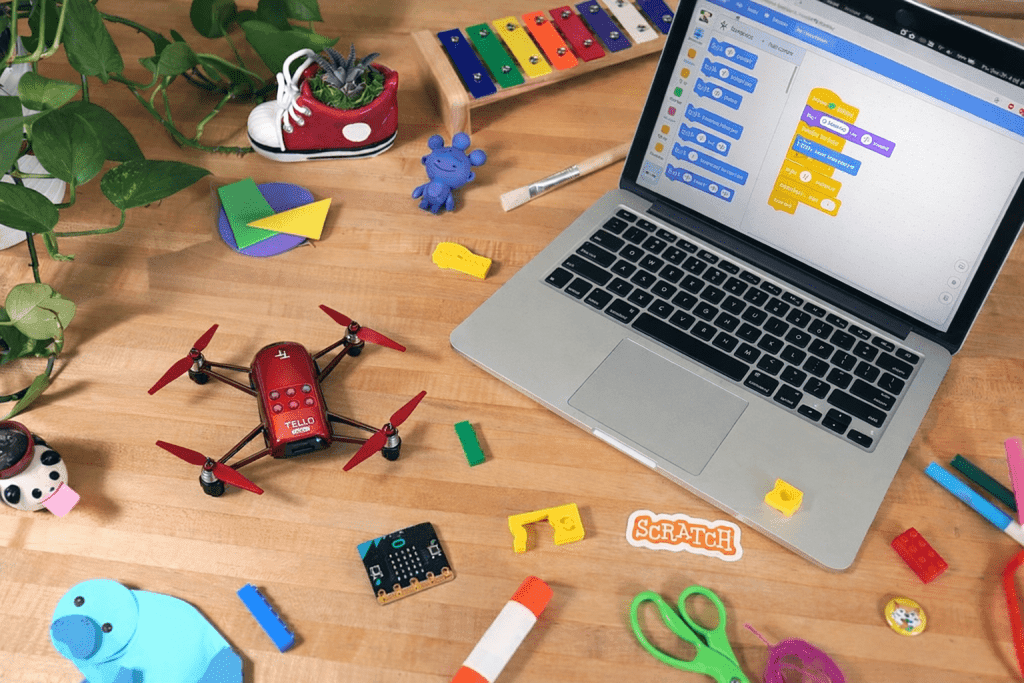
This is where the RoboMaster TT differs completely from ordinary toys, because it is a “Flying Computer”
Supports Scratch / Python / SDK – What Does This Mean for Kids?
Elementary School Age: Start with Scratch a Block-based drag-and-drop programming interface, such as “Take off -> Move forward 50 cm -> Flip” to see immediate results
Teenage Age: Progress to using the Python or SDK to write more complex command code, such as writing conditions “if a wall is encountered, turn left” which is an important foundation of computer science
ESP32 and LED Matrix Extension Module – Adding a New Dimension to Experimentation
On the back of the RoboMaster TT is an Extension Module that comes with a LED Dot Matrix small
Mobile Laboratory: Children can program the LED display to show a heart shape, display countdown numbers, or change light colors according to flight status. Parents no longer need to purchase a separate development board, and children learn about Microcontrollers at the same time.
Examples of Activities Directly Linked to the Classroom
Science: Experiment by attaching small pieces of modeling clay to the drone, then time how much faster the increased weight drains the battery (learning about lift force and energy).
Math: Have the drone fly in a square shape, then have the child explain why it needs to turn 90 degrees 4 times (learning about geometry and loops).
How can these specs help your child "study better"?
Practice concentration and focus through short tasks
Before every flight, children must check safety, plan the route, and stay focused on control to complete the mission within a limited time. This type of short-term focus training helps build “Concentration” which can be applied to reading or doing homework
Practicing step-by-step thinking and reasoning explanation
When a mission fails (e.g., crashing or landing off target), encourage your child to analyze why “Why?”
“Was it because we misjudged the distance?”
“Was it because we coded the turn too fast?” This process trains the skill of Critical Thinking and systematic reasoning, which is highly essential for examinations and group work
Developing responsibility and equipment maintenance habits
Drones are devices that require care — charging the battery, checking the propellers, and storing them properly. Parents can use this opportunity to teach about “Responsibility” and taking care of personal belongings, more effectively than simply telling them verbally
How to get started for families who have never flown a drone
Preparing the space and basic rules at home
No large field is needed — just an open hallway, clear away breakables, and establish safety rules such as “This zone is the runway; no one may walk through” or “Goggles must be worn at all times during flight” to build discipline.
You don't need to be tech-savvy to teach your child.
Parents don't need to know how to write code — they just need to play the role of a “Coach” Keep asking open-ended questions, such as “If you want the drone to fly in the shape of a star, where do we start?” — then let your child find the answers and experiment on their own.
Turn your home into the most enjoyable classroom.
If you are looking for a single device that gives your child both fun and skills that translate into better academic performance, RoboMaster TT it is a great starting point, as it is designed specifically for education, safe for home use, and is the standard equipment used in leading science camps.
Options for parents:
Start at home: Recommended starter kit includes RoboMaster TT drone + spare battery for uninterrupted play sessions.
Advance to a real competition field: If your child is having fun and wants to meet new friends, you can view the details “Drone Coding & STEM Workshop Course” Organized by our institute to develop skills to a competitive level
If you would like to discuss which package suits your child's age and skill level, feel free to contact our team through our website or message us directly for consultation.
👉 View Details and Products: DroneXR.org Website 👉 Consult our team via LINE: @metaxr
